
NSFW AI Photo EditorChange Outfit, Pose and Scene Online
Keep the character, change everything else. Pick a pose, swap the outfit, move her to a new room or new light, and she still looks like herself in every picture.
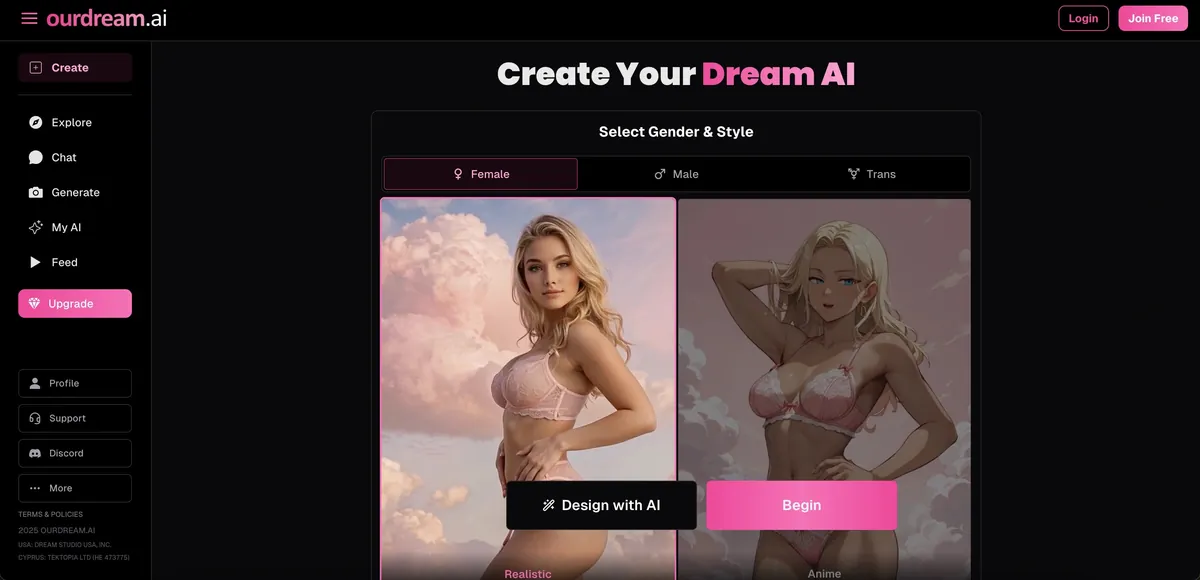
What Is an NSFW AI Photo Editor?
An NSFW AI photo editor changes one part of an adult picture (the outfit, the pose, the background, the light) and keeps the rest, including her face and body. A generator starts from zero every time, which is fine while you explore and wasteful once you have a character you like.
The editor we recommend is OurDream. Every picture is built from your character’s saved appearance plus the scene you choose from menus, so changing one menu and generating again gives you the same woman in a new situation. You don’t need prompt skills, and batches of up to 256 images keep her consistent.
Consistency is the reason to edit. A generator reads every request as a new woman; an editor holds your character still and moves only the parts you name. Anyone who has generated forty pictures to get two of the same person knows the difference.
Everything here works on AI-generated characters. Tools that undress uploaded photos of real people are illegal to share from in a growing number of countries, so we neither recommend nor list them.
How the NSFW AI Photo Editor Works
Three steps, a couple of minutes, no install.
- 1
Create or pick a character
Choose realistic or anime, set her face, body and hair once, or start from a ready-made girl. Her saved appearance is the anchor every edit keeps, so spend a minute getting it right.
- 2
Choose what to change
Pick a pose (most are explicit), an outfit, a background and lighting from the menus, or type a short prompt on top. Change one or two things per edit, not everything at once.
- 3
Generate, keep, repeat
Generate one or a batch, keep the best, then change the next thing starting from that keeper. Any picture you like can also become a short video clip.
What You Can Edit in One Click
From the most reliable edit to the one to adjust last.
Outfit
Dressed, lingerie, costume or nude, one item or the whole look. The most reliable edit on every editor we tried.
Pose
Standing, lying, from behind or explicit positions, picked from a menu instead of described in words.
Background
Bedroom, beach, office, shower, keeping the same pose and outfit. This is where an editor beats a generator most.
Lighting
Window light, neon, candlelight, golden hour. A small change that decides whether a picture looks real.
Style
Photoreal, anime or semi-real. Switching style usually changes the face, so treat it as a new series.
Photo to video
Turn any edited picture into a few seconds of video, and change the clip with a text instruction.
Edit Prompts That Work
The menus do most of the work. When you add a prompt, be concrete and say what stays.
Change the outfit
Weak
make her sexier
Works
same face and pose, black silk robe, open, bare feet
“Sexier” gives the model nothing to draw, so you get the platform’s average picture. Naming the garment, and saying what must not change, keeps her face and gives you a result you can build on.
Move the scene
Weak
different background
Works
keep everything, hotel room, white sheets, evening light from the left window
A model can render place, surfaces and light direction. Keep the pose and outfit fixed and only the room changes, which is exactly what a generator cannot do.
Adjust the shot
Weak
better angle
Works
same outfit and room, looking over her shoulder at the camera, relaxed smile, close-up
Change framing and expression last, once outfit and scene are right. One or two changes per edit.
Who Uses an NSFW AI Photo Editor
AI girlfriend users
New outfits and places for the companion you already chat with, without her face changing between pictures. The apps below keep her tied to the same character you talk to.
Creators of original characters
A consistent series of one character for a story, a comic or a private collection, where every picture has to show the same woman.
Anime and hentai fans
The same anime character across dozens of scenes and outfits. OurDream handles anime well; AIGfriend does nothing else.
Writers
A picture for each moment of a scene. Write and rewrite the text in our NSFW AI editor, then edit the pictures here to match it.
Why We Pick OurDream
We paid for every editor below and ran the same character through the same three edits.
Menus, not guesswork
Pose, outfit, background and lighting are menus, so an edit changes exactly one thing. Prompt-only editors make you guess the wording and reroll when you guess wrong.
She stays herself
Faces held across edits and across batches of a hundred. Community presets add poses and outfits other users built.
Photo to video
Any keeper can become a short clip, and clips can be changed by text instead of regenerated. The free version shows the whole platform before you pay.
What You May Upload and Edit
Many tools that rank for this search let you upload any photo. We don’t recommend it, and nothing on this page is built for it. Sexual edits of a real person without consent are illegal to share in the US under the TAKE IT DOWN Act (2025) and in the UK under the Online Safety Act 2023, and more countries now cover creating them too. It doesn’t matter that the result is “only AI” or that the photo was public.
Fine to do
- Characters generated on the platform.
- Characters you designed from a text description.
- Explicit outfits, poses and scenes on those characters.
Never
- Photos of anyone else: partners, exes, celebrities, people from social media.
- Anyone who is or looks under 18, on any platform, ever.
- Photos of yourself are allowed on some platforms, but your face then sits on someone else’s server.
Other NSFW AI Photo Editors
If OurDream isn’t right for you, these are the other editors we tested on paid accounts. Paid apps first, then free-to-try sites.
OurDream
4.4Our pick: menu-driven edits
Pose, outfit, background and lighting menus on a saved character, batches up to 256, community presets, photo to video.
Free: Free look at the platform; images in tokens · Price: $19.99/mo · $9.99/mo yearly
Lovescape
4.6Best consistency over a long series
Quick tags or full prompts; she still looks like herself fifty edits in. Any image becomes a video.
Free: Free to start; images use Chips · Price: $12.99/mo · $5.99/mo yearly

Joi AI
4.9Presets plus prompt
Pose and style presets, photoreal or anime, with a prompt on top and short video. Best if you also chat with her.
Free: Free chat; images use Neurons · Price: $17.77/mo · ~$5/mo yearly

Candy AI
4.5Most photoreal results
Setting, outfit, pose and accessories, 1 to 64 per batch, rendered in seconds. Skin and light are the most realistic we saw.
Free: Free messages; photos paid · Price: $13.99/mo · $3.99/mo yearly
Nectar AI
4.3Best likeness
Prompt-driven edits, about 8 in 10 on-character. 5-10 credits per image, no video.
Free: 10 images a day, preset characters · Price: $9.99/mo · ~50% off yearly
Free to try

Dream Girl AI
Design, then generate
Define her look and personality first, then generate and adjust pictures of what you built. Useful when you want one specific woman rather than a roster.
Free: Free tier
AIGfriend
Anime character edits
Anime companion with pictures of the same character, so edits match who you talk to.
Free: Free tier
Naughty AI
Images and video in one
Image and video generation next to chat, under one login.
Free: Free tier

My AI Slut
Explicit by default
Adult-first character builder with generation attached, no warm-up.
Free: Free tier
GoLove AI
4.2A cheap first try
Basic scene changes on a low-commitment plan.
Free: Free trial · Price: $12.99/mo · $4.15/mo yearly
NSFW AI Photo Editor FAQ
Short answers to the questions people ask most.
What is the best NSFW AI photo editor?
OurDream, for menu-driven pose, outfit and scene edits on a consistent character. Lovescape is best for long series, Candy AI for the most photoreal results, and Nectar AI for likeness on a very specific look.
Is there a free NSFW AI photo editor?
OurDream and the other paid apps let you try free with a daily allowance, and the free-to-try sites have free tiers. Unlimited free editing means running open models on your own PC.
Do I need to install anything?
No. Every editor on this page runs in the browser on desktop and mobile, with nothing to download. Joi AI and Candy AI also have apps if you prefer one.
What is the difference between an editor and a generator?
A generator makes a new picture from a prompt each time. An editor changes part of a picture you have and keeps the rest. See our AI image generator guide for the generating side.
Can I upload a photo and make it NSFW?
Not of anyone else. Sexual edits of real people without consent are illegal to share in the US under the TAKE IT DOWN Act, in the UK and in many other countries. Edit AI-generated characters instead; nothing on this page is built for uploads of real people.
How do I keep the same face across edits?
Start from a saved character, change one or two things per edit, say what should stay the same, and always edit from your best result.
Can I edit anime pictures?
Yes. OurDream and Lovescape handle anime well, and AIGfriend is anime-only.
Can I turn an edited photo into a video?
Yes, on OurDream, Lovescape and Joi AI. Our image-to-video guide explains how it works and what it costs.
How much does an NSFW AI photo editor cost?
Plans run about $4-10 a month on a yearly plan or $10-20 monthly, and each image costs tokens on top. Editing wastes fewer tokens than generating, because fewer attempts go in the bin.
Can I edit the same character months later?
Yes, as long as the character is saved on your account. That is the practical difference from a generator: the look persists, so a series can continue whenever you come back to it.
Is an NSFW AI photo editor private?
Your pictures are private to your account, and the paid apps bill under neutral company names. Use a separate email if you prefer, and never upload photos of real people.
Why did my edit change her face?
The edit asked for too much at once, or you switched art style, which rebuilds the face. Name what stays, change one or two things, and edit from your best result. Our NSFW AI art guide covers inpainting and other fixes.
Explore more
Try the NSFW AI Photo Editor
Keep your character and change everything else. Free to start on OurDream, in the browser. 18+ only.
Open the editor on OurDreamPrices and features change often, so confirm them on the provider's page. 18+ only.